


Screen capture applications are particular software tools that help to capture what you see on the screen and save them as images. This is a very handy tool for web designers and developers and anybody who wants to capture important information that is displayed on screen.
Even though Microsoft now bundles their very own screen capture tool called Snipping Tool with Windows, there are a number of third party tools in the market which has so much to offer.
We have compiled a list of the top 5 screen capture applications are that have received good reviews from the users worldwide.
Screen hunter (click here)
 Screen hunter is a free application that is very useful for capturing a full screen or an active window.
 The user interface is very simple so operating this software is piece of cake. The users also have the option of selecting a single hot key to take the take the screen capture which makes it convenient for a user. The features and operations are complete hassle free and easy to use.
However, there is one major drawback as PNG format is not supported. You also need to pay in case you to upgrade to the premium version.
Shotty (click here)
This is a full-featured (free) screen shot taking tool that is used by a lot of people. It has the ability to capture the Aero-Glass effect in Windows 7 and Windows Vista which enables the user to get HQ screenshots. It has a number of useful features like cropping, captioning and inserting text.
Some users have complained that PNG compression is not good although there are no complaints with the high quality images.
 Gadwin printscreen (click here)
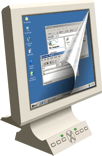
This is a flexible screen capture tool that is equipped with sophisticated features, a user-friendly interface and settings that are fully customizable for short keys. There is no built-in image editor which is a real drawback. But this application is compatible with Windows NT 4, Windows 7 and Windows 2003. The application works seamlessly with no hiccups during its operation.
Ashampoo Snap 5 (click here)
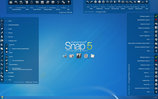 Ashampoo Snap 5 is so far my most favourite screen capture tool. It allows the users to make the screen shot of an active screen quite easily. The best feature of this tool is that it allows you making a snapshot of the content and you can upload the result to Facebook. By this way, you will be able to get feedback in the form of comments and likes in quick time. Its updated tools option allows the user to edit and design the screenshots quite easily.
 Moreover, it is easier to make screenshots for presentations, manuals or internet and to capture the menu tree. Its advance recording feature not only records screen-shots but even record movie of your desktop, record the webcam with mic for creating video greetings etc.
Additionally, it has features like, restructured tool bars for improved workflow, easier accessible configuration options for all tools, improved tools supporting rotation and transparency and watermarking for screenshots and captured videos.
Screenr (click here)

Screenr is different from all the above apps that I've mentioned so far as it works on the cloud. Screenr is a web-based and cool looking screen capture tool having options to add captions and highlight or make a short movie by capturing what is playing on the screen.
It is a very attractive application but at the same time very simple to use. The major advantage of this tool is the instant sharing capability. You can log in via Twitter or Facebook account and can record anything on your computer screen up to 5 minutes. Morover if you record your screen, the recording can also be downloaded in MP4 format.
As you can see there are five leading screen capture applications that have its advantages and limitations. The final choice depends on the user. He needs to ask himself why needs particular software and where he wants to apply it.
What Screen Recorder do your use? Let us know in the comment box below.
What Screen Recorder do your use? Let us know in the comment box below.
About the Guest Author:
Margaret is a blogger by profession. She loves writing on environment and technology. Beside this she is fond of books. She recently did an article on ecofriend. These days she is busy in writing an article on gizmowatch.
Margaret is a blogger by profession. She loves writing on environment and technology. Beside this she is fond of books. She recently did an article on ecofriend. These days she is busy in writing an article on gizmowatch.


0 comments:
Post a Comment